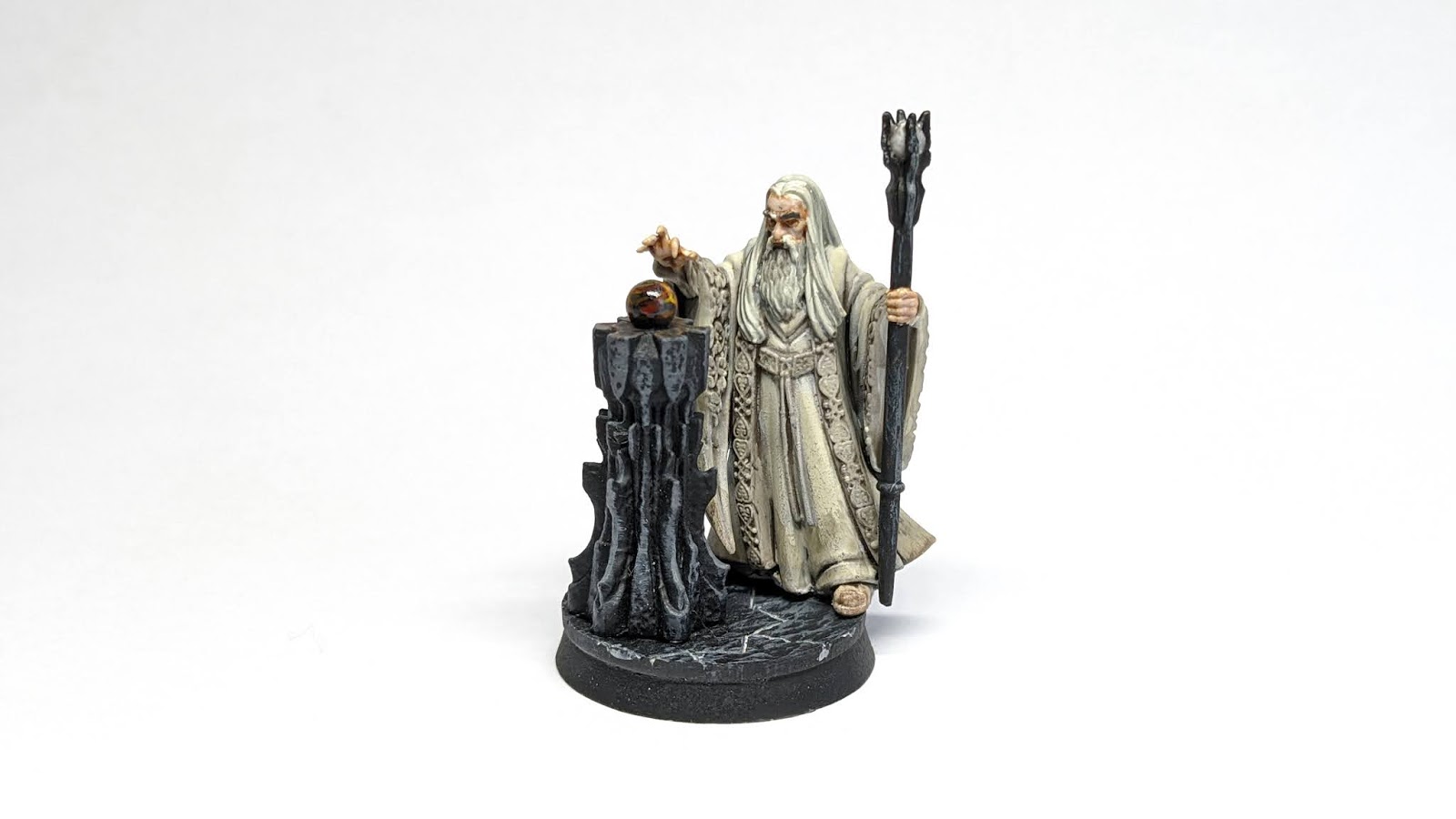
Showing posts with label Simple Miniature Photography. Show all posts

Thursday, 4 June 2020

Simple Miniature Photography - How to Photograph Close-ups and Groups

My name is Steve, and today I'll be walking you through frequently asked questions about home miniature photography. For the uninitiated, we previously released an article looking at how best to photograph your miniatures in a simple, home build setup with just phone camera, a piece of white paper and a desk lamp  (available here), Today, we have a continuation of this guide using roughly the same setup but looking at a few questions which readers (and our own Drawn Combat staff!) have asked since.


Close-ups and Bases

We all have that one key feature that we spent ages working on - whether it be the facial details, the detail in the base or the shining jewel embedded within a crown. It makes sense that this is something you would want to show off, and why not? You put the time and effort into it, and it may get lost within the wider image of the miniature or may even be obscured partially. When using your phone to photograph, there's only so close you can get before the whole model gets out of focus. This can be solved in two simple ways; Zooming and Cropping.


Zooming is relatively simple and essentially every camera phone is capable of it today. This is great for picking out smaller details and with some phones you can really get in close. There can however be a downside to this - not all zoom functionalities are great. Some phones have a zoom function, but in reality all they are doing is expanding the centre of the frame without providing more detail (this is becoming less common the more advanced phone camera technology gets). Instead you get a grainy, more pixelated image so please be wary of this - a grainy photo does not show off an intricate detail well!


Another method to go down is use your phones inbuilt image editor (pretty much standard across all phones today, but check online to see how to access it on your own device if not sure already). With this, we'll be cropping the image to focus specifically on the detail that we want to show off. The key to a good crop, is making sure that your chosen detail is in the centre of the frame, but not going in too close as to lose context of the rest of the miniature.


For looking specifically at bases, we can use a lot of the steps above in order to achieve this. With your light set-up as per the previous article however, this may cast some unfavorable shadows. The best solution is to simply move the the light slightly to show it off more.


Multiple Models

Now this can vary from a motley trio of hunters to an entire regiment, the main thing to keep in mind is the space and lighting you have available - the more models you are photographing, the less your one light will cover well. Let's focus for the moment on two examples - a trio and and a small group. 

Starting small we have The Three Hunters. With a small selection of models there's two different ways we can go about photographing them: Firstly we can give each miniature an equal space in the spotlight by keeping them all on the same focal plane (in other words, they will all be equally focused and in a line). This is great for showing off all of the miniatures in an equal capacity within one image.


Secondly, we can go for what can be often a more aesthetically pleasing layout and stagger the miniatures into a triangular layout. This can drop the two miniatures in the background out of focus a little, but draws more attention to the character in the foreground (in our case, Aragorn). This kind of layout works well when for example, a hero is backed up by a bodyguard retinue or particular group of models(King's Champion, King of the Dead with Heralds, With-King and Ringwraiths being a few). The downside of this being that some detail will indeed be lost on models in the background.


Now if we were to look at a larger detachments of miniatures, for instance a warband or battle company and lined them up as we did previously it would make for a dull, and long image. Simply put, the human eye can become disinterested when looking at a long line of similar models so the triangular layout we used before can be a better option by condensing the image down a little bit, but once again we'll be losing focus on the miniatures towards the rear. This might not present itself to be too much of an issue however if you're working with your standard units who don't need the strongest representation within the image. 


Sometimes this can still be a little dis-interesting however, so we'll go for the next option of a mixed group shot. In the example below we can see my Lothlorien battle company, and the heroes (denoted by their red cloaks) are shown at the front - they are the key focus compared to the other miniatures. For the others you can go a couple of ways - a formation (great for spear and shield units) or a loose arrangement best presented in a staggered arrangement (think back to your class photographs!). 


With the image above this small section of models the low angle works well - however this may not be the case for a full army. This may well end up obscuring a lot of the miniatures behind especially if there's a mounted hero involved. In this case, we'll go for a higher angle. Not so high however as to create a relatively dull image - some coverage of the rear models is not a bad thing!


That's it for today's lesson. Is there anything particular you'd like us to cover in our next basics guide? Let us know in the comments and show off your own photos using these tips!

Thursday, 2 April 2020

A Simple Guide to Photographing Miniatures at Home


Given my full-time profession, I often get asked about the best way to photograph miniatures.

Sometimes, this simply comes down to the way I use complex lighting for large scale dioramas I produce in the studio. But more often than not, I’m simply asked 'How do I photograph my miniatures at home? I only have a phone camera!”.

With Lockdown in full swing (and my years of bodging sets together), I’ve decided to have a look around the house for inspiration on building my very own low-budget setup.

We'll look at producing something similar to the result below: a good quality 'hero' shot as we call it. Now this isn't a term for the model in particular, but this is the photograph to best encapsulate the miniature(s) overall. Often what you'll see on website product listings; The simplest and often most effective clean white background and nice bright light.


So this image was produced using my standard product photography setup; a high powered flash kit along with an industry standard DSLR camera. Don't fret however, as you absolutely do not need this kit to produce great and effective images to show off your fantastic paint job!

Instead for today's tutorial, you'll need the following items for your standard 25mm and 40mm miniatures.

* Camera Phone
* A4 White sheets of paper
* Desk/painting lamp
* Blu-tac or sellotape.
* Flat surface

That's it! If you want to go any larger, you're best off with a larger sheet of paper if you have one lying around.

Before we go any further, there is a very important step you must take before setting up::

CLEAN YOUR LENS

I forget to do this all too often on my phone, and it's incredible how much it affects the quality of your photo.

Set up your backdrop

So the first step is to create our background. For this, you'll need to make a corner on your flat surface, this can be done simply by using a box.

You then need to rest the paper in a curve as shown below and then secure the paper down (some blu-tac or tape on the corners works well). This is called an infinity curve, named as such that if your lighting works well, there is seemingly no end to the background.


Once you have your curve you can then place your light. LED lamps work the best I find due to their brightness, but any will do, as long as you can angle it overhead like below:


Now this is just the lamp I use for painting. It's nothing special and cost me around £25 on Amazon and I certainly didn't have photography in mind when I bought it. As you can see, it is not directly over the white background, rather it is slightly in front of the miniature (as you can see on the diagram below). Now, we do this for a very good reason: Shadows - and we'll come back to it shortly.

So now, your setup should look roughly something like this from above:


Now that we're all set, let's take some photos! On your phone (remember to clean the lens!) try and keep it level by resting it on the surface you're working on. If you have 'Pro' mode on your smartphone’s camera, then certainly take a few minutes to mess around a few of the settings and get yourself acquainted with them.

When taking the photo, make sure that the miniatures are in focus, then snap away!


So this was taken on the set shown in the previous images with my smartphone camera, It hasn’t turned out far off from the original one I shot with studio grade equipment, bar a smaller resolution. 

Remember what I mentioned earlier about shadows though? This following photo was taken with the light directly over the models:

Compared to the previous photo, the shadows are much more pronounced, leaving less detail under the robes (such as the armour on the unmounted model) and casts a very harsh highlight on the shoulders. This will be contrary to your paintjob and not show it off to its full potential!

One thing I've also had people ask me about is using the flash on their phones. Granted, it will give you a bright image, but not in the places that you need it most:


The result is far less organic and unnatural to how you'd regularly see the miniature. Due to the very directional and small aperture of phone flashes, the spread of light becomes very uneven - leading to a lack of natural shade to the figure and often blows the colours out of proportion as well.

The final step for your photo, one not often considered, is cropping. When photographing, I always leave more space around what I'm photographing than I need to make sure I have everything in the frame. The same goes for miniatures photography. What you always want to do is be able to select the best crop for your models to make sure they are the central focus of the image.

With our finished photo below, I simply made sure that the borders of the image were closer to the sides of the models. There's still a good amount of negative space surrounding them however, and this is to ensure that when posted to whatever platform you fancy, they’ll still be able to pop out on the page. For reference, Instagram uses a 1:1 square crop.


That's all from today's tutorial - a very simple and basic guide in how to make your miniatures stand out and truly show off the hours of painting you've put into your favourite models.

Next time, I'll be going over some more advanced techniques, ones that can help in small scale diorama images.

Please make sure to comment if you have any questions, and please show off your images to us!